Make a fillable document online that returns answers, not files
Most people who want a fillable document online have a Word file or PDF, a consent form, a waiver, an application, and want people to fill it in without printing it. There are two ways to do that, and they produce very different things. A PDF form filler keeps your exact layout and hands you back filled files. A document form builder puts the same text and questions on a web page and hands you back answers you can sort, export and route. This page explains both, and when each is the better choice.
Short answer
To make a document fillable online, either add form fields to the PDF with a PDF form editor (Acrobat Standard or Pro, or an online PDF tool), or rebuild the document as a document-style web form where paragraphs and questions sit on one page. Choose the PDF route when the exact layout or file is required; choose the web form when you need the answers as data.
- PDF form: same look as the original, returns one filled file per person.
- Document-style web form: reads like the original, returns rows of answers you can export or send to Google Sheets.
- Word's fillable forms need desktop Word; Microsoft says they cannot be created in Word for the web.
- Zunoform's document layout is free to build and publish; a signature field needs Pro.
What is a fillable document?
A fillable document is a document with places to type: blanks, checkboxes, dates and a signature line. On paper that was one thing. Online it has split into two. A fillable PDF is a file with interactive fields layered over a fixed page; each person fills and returns their own copy. A document-style form is a web page where the text and the input fields are part of the same flowing page; each person submits, and their answers land in one shared table.
The difference matters most after the fiftieth response. Fifty filled PDFs are fifty files to open. Fifty form responses are fifty rows you can filter by date, export to CSV, or push to a spreadsheet as they arrive.
PDF filler, Word, Tally or a document form: how do they compare?
Based on each vendor's own documentation, read on 28 September 2026.
| Approach | How you build it | What the respondent sees | What you get back | Best when |
|---|---|---|---|---|
| Fillable PDF (Acrobat Prepare a form) | Open the PDF in Acrobat Standard or Pro and add fields; the free Reader cannot | Your original page with boxes on it; small text on phones | A filled PDF per person | The layout is mandated, or the file itself is the record |
| Online PDF form tools (e.g. Jotform's fillable PDF creator) | Upload a PDF and add fields in the browser | A PDF-style form, often also offered as a web form | Filled PDFs, plus submissions in that tool | You need the PDF and want online collection |
| Word fillable form | Content controls from the Developer tab in desktop Word | A Word file that must be opened in Word | A Word file per person | Everyone uses desktop Word, and there are few copies |
| Tally | An editor that works like a text document, with blocks inserted like Notion | A standard single-page or multi-page form | Form submissions | You like writing forms like a doc; the output can be a normal form |
| Zunoform document layout | Paragraphs, headings, callouts and questions as blocks; short fields can sit inside sentences | A document-like web page: text and fields together, one submit button | Form submissions, exports and integrations | Reading is part of the task and you need the answers as data |
Sources: Adobe: create PDF forms · Microsoft: create forms that users complete in Word · Jotform fillable PDF form creator · Tally
What is a document form builder?
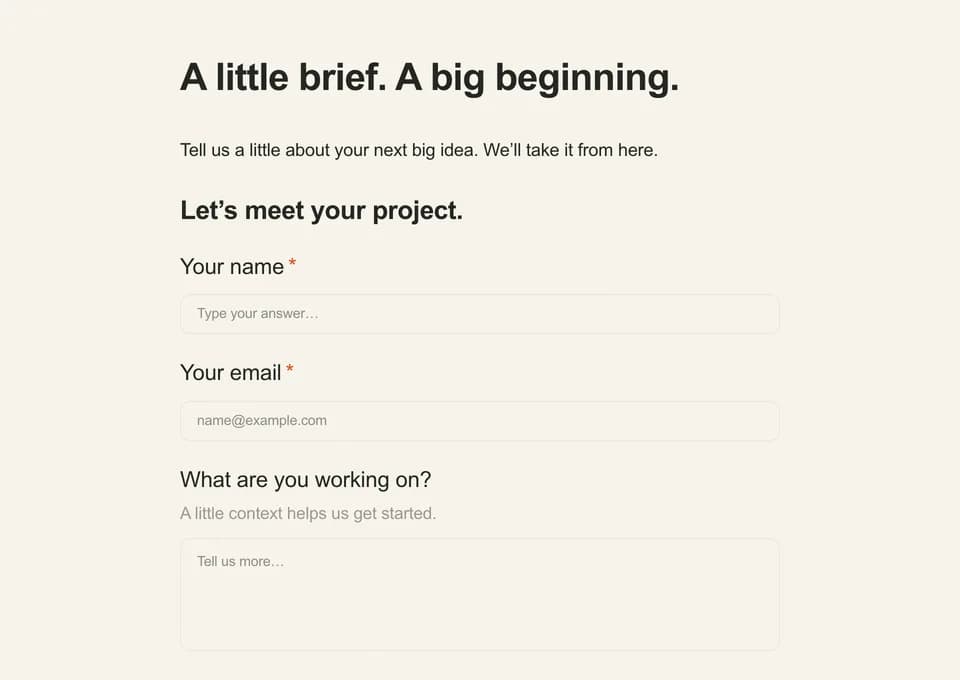
A document form builder lets you write the page the way you would write a document, then drop questions into it. In Zunoform's document layout, the page is a list of blocks: paragraphs, three heading levels, quotes, callouts, dividers and question blocks. Any question type can be a block. Short ones (text, email, number, URL, phone, date and dropdown) can also sit inside a sentence, which gives you fill-in-the-blank forms: "I, [full name], agree to the terms above on [date]."
Conditional logic still works: a question can appear only when an earlier answer calls for it, and hidden questions are skipped. The whole page has one submit button and no welcome or ending pages, because a document is read top to bottom rather than one screen at a time.
Document, conversational or single page: which layout?
Zunoform offers all three on every plan, on the same questions, so you can switch and compare.
| Situation | Best layout | Why |
|---|---|---|
| Consent form, waiver or policy acknowledgment | Document | People must read the terms before they agree, and the text belongs next to the checkbox |
| Client brief or application with explanations | Document | Instructions sit beside the questions they explain |
| Short survey sent by email or QR code | Conversational | One question at a time keeps attention on phones |
| Contact, signup or repeated internal request | Single page | People can scan all fields at once and finish fast |
| A PDF whose exact layout is legally required | None of these | Use a PDF form editor; a web form is not a PDF overlay |
What are document-style forms good for?
The common thread: people need to read something before or while they answer.
Consent forms
Research consent, photo release, treatment or vaccination consent. Put each paragraph of the terms above the checkbox or initials it relates to, not in a link. Start from the research consent form or photo release consent template and switch it to the document layout.
Waivers and agreements
Liability waivers, equipment checkout, rental agreements. A fill-in-the-blank line such as "I, [name], am responsible for [equipment] until [date]" reads like the paper version. Adding a signature question needs Pro to publish.
Policies and acknowledgments
A handbook section, a code of conduct, a data-handling policy. Break it into headed sections and ask for an acknowledgment at the end of each, so you know which part someone confirmed.
Applications and briefs
Grant, scholarship or school applications, and agency briefs, where each section needs its own instructions. Several of our agency templates, such as the copywriting project intake and video production brief, are designed for the document layout.
Worked example: turning a paper waiver into a document form
Illustration: a climbing gym's one-page waiver has a title, four paragraphs of terms, a name line, a date of birth line, an emergency contact and a signature. As a document form, the title becomes a heading, each paragraph stays a paragraph, and the first line becomes "I, [full name], born [date of birth], have read and accept these terms." with both blanks as inline fields. A yes/no question asks whether the participant is under 18, and logic reveals a parent or guardian name only when the answer is yes. The emergency contact and signature follow as full question blocks. Every submission becomes one row with a timestamp, instead of a scanned page in a folder.
Is a document-style form accessible?
It can be, with care. WCAG 2.2 success criterion 3.3.2 (Level A) requires labels or instructions when content requires user input. In a normal question block the label is visible. An inline blank has no visible label, because the sentence around it acts as the instruction, so give every inline field a clear label in the editor: Zunoform uses it as the field's accessible name, which is what a screen reader announces.
Structure helps too. Document headings are published as real HTML headings and quotes as blockquotes, so screen reader users can jump between sections. Keep inline blanks for short, obvious answers; put anything that needs explanation, such as a medical history question, in its own block with the instruction beside it rather than in a placeholder.
Source: W3C: Understanding SC 3.3.2 Labels or Instructions
Source: W3C WAI: form instructions
How to create a document form in Zunoform
Choose the Document layout
Create a form and pick Document, or open any template and switch its layout; the questions carry over.
Paste or write the text
Add paragraphs and headings for the content of your original document. Use a callout for the one thing people must not miss, such as a deadline or a fee.
Insert the questions
Add question blocks where answers belong. For fill-in-the-blank lines, insert a short field inside the sentence and give it a label.
Add logic and required fields
Mark only what you truly need as required, and use logic to show questions such as guardian details only when they apply.
Send a copy and connect the answers
Turn on the respondent confirmation email (paid plans can attach a PDF copy of their answers) and connect Google Sheets or a webhook. Preview at phone width before publishing.
Templates that work well as documents
Open any of these and switch to the document layout; the agency briefs are designed for it already.
Study overview, acknowledgments, recording consent, and a signature.
Permission to use photos and video, with a guardian path for minors.
Assumption of risk, emergency contact, and a legally-signed release.
Reserve shared gear with pickup and return dates and a responsibility signature.
Brief a writer on the reader, desired action, voice, evidence and review process for a specific deliverable.
Set a video's purpose, runtime, production scope, location needs and asset permissions before scheduling a shoot.
Record a proposed scope change, its business reason and the impact questions that need a decision.
Personal statement plus transcript and recommendation-letter uploads.
Where Zunoform fits, and where it doesn't
Zunoform fits when you want a readable page with the questions in place and the answers as data: the document layout, inline fields, logic and 500 responses a month are on the free plan, and signature fields need Pro at $14.99 a month.
It is the wrong tool if the PDF itself is the deliverable, for example a government form with a mandated layout; use a PDF form editor. It does not import a PDF and keep its layout, does not generate a signed PDF of the whole document per response, and is not a collaborative word processor. It also does not offer HIPAA agreements, so do not use it for protected health information in the US.
Questions people ask
How do I make a document fillable online for free?
If you must keep the PDF, use a free online PDF form tool to add fields to it; note that Adobe's Prepare a form needs Acrobat Standard or Pro. If you mainly need the answers, rebuild the document as a web form with the text and questions on one page. Zunoform's document layout does this on its free plan.
Can I make a Word document fillable?
Yes, in desktop Word. Show the Developer tab, insert content controls such as text boxes, checkboxes and date pickers, then restrict editing. Microsoft says fillable forms cannot be created in Word for the web. Each person returns their own Word file, so collecting many responses means opening many files.
How do I create a fill in the blank form?
Write the sentence, then insert a short input where each blank goes. In Zunoform's document layout, short text, email, number, URL, phone, date and dropdown questions can sit inside a sentence, for example "I, [name], agree to the terms on [date]." Give each blank a label so screen readers announce it.
What is the difference between a fillable PDF and an online form?
A fillable PDF keeps a fixed page layout and returns one filled file per person. An online form is a web page that adapts to screen size and stores every submission as a row of data you can filter, export and send to other tools. Use a PDF when the file is the record; use a form when the answers are.
Can a document form collect a signature?
Yes. A signature question can sit at the end of the document, after the terms. In Zunoform you can add and preview it on any plan, but publishing a form with a signature field needs Pro. The signature is stored with the response; Zunoform does not produce a signed PDF of the whole document.
Is Tally a document form builder?
Tally's editor works like a text document: you type and insert blocks, much like Notion. What respondents see is a standard single-page or multi-page form. Zunoform's document layout differs in the output: the published page itself reads like a document, with paragraphs and inline blanks, and one submit button.
Can I convert a PDF into a document form automatically?
Not in Zunoform: it does not import a PDF and keep its layout. Copy the text into paragraph blocks and add the questions, which usually takes a few minutes for a one-page form. If you need automatic PDF conversion, tools built for fillable PDFs, such as Jotform's PDF creator or Adobe Acrobat, are designed for that job.
Keep reading
Form design
Google Forms
Free plans
Buyer's guide
Survey design

Ready when you are
Better forms.
Better data.
Start with a conversation, a document or a single page.
Unlimited forms and 500 responses per month on Free.
No card required.
- No credit card
- Unlimited forms
- 500 responses / month